How the 30-day trial and purchase work
Updated:
On this page
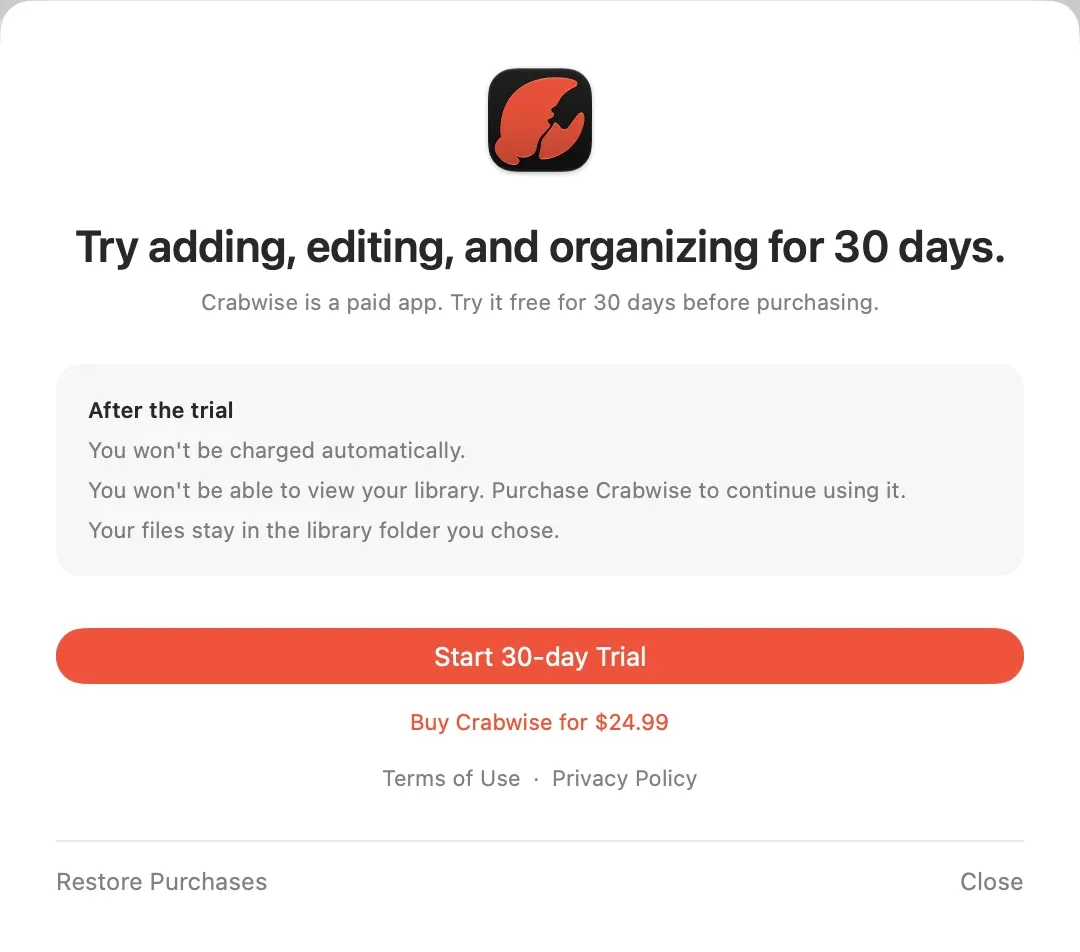
Crabwise is free to download. Start the 30-day trial in the app to use every feature, including adding, editing, and organizing items. To keep using Crabwise, make a one-time purchase in the app.
When the trial ends, you won’t be charged automatically.
Start the trial
- Open Crabwise and click Upgrade in the Welcome window. If a purchase sheet opened when you tried to create a library, use the Start 30-day Trial button in that sheet.
- Click Start 30-day Trial.
The trial doesn’t start by itself. It runs for 30 days from the day you start it. During the trial, Upgrade appears in the library window’s toolbar, and the purchase sheet shows when the trial ends under Trial ends.
You can start the trial only once per Apple Account. The trial is counted by date. If you restore purchases after starting the trial, your remaining days don’t change.
Buy Crabwise
- Open the purchase sheet with Upgrade in the Welcome window or the toolbar of the library window.
- Click Buy Crabwise for …. The button shows the price for your region.
- Follow the on-screen instructions to finish the purchase.
It’s a one-time purchase. If you got Crabwise through Family Sharing, it counts as purchased too. After you buy, the Upgrade button no longer appears.
If you bought Crabwise but it doesn’t work, or the purchase doesn’t finish, see Restore your purchase and You can’t buy Crabwise. To learn what happens when the trial ends, see What happens when the trial ends.
Was this article helpful?
Choose a reason
Thank you for your feedback.
If you still need help, use the contact form.