Change a room's name and kind
Updated:
On this page
Give a room any name you want. Choosing a kind changes its color in the drawing and the furniture in the actual-size room.
Change the name and kind
- Tap the room you want to change in the Floor Plan window.
- Enter a new Name in the inspector. It appears in the drawing, model, and actual-size room labels.
- Choose Living room, Bedroom, Dining room, or Other from the Kind menu. The tile color and the furniture in the model and actual-size room change to match the kind.
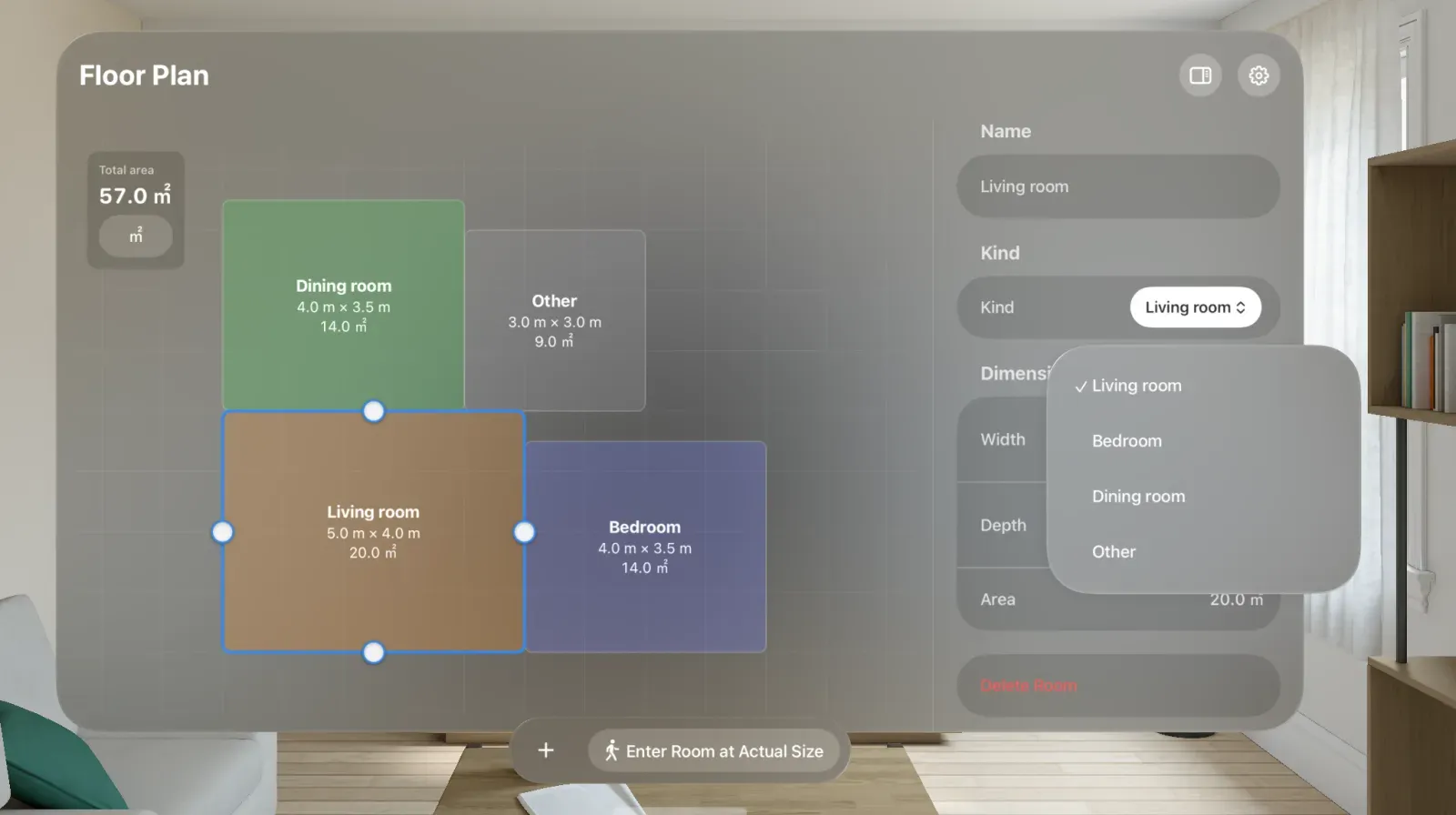
You can also change the kind from the menu that appears when you pinch and hold a room tile. Names appear inside tiles when they are large enough. If a name isn’t visible, the tile may be too small. Resize a room or adjust the drawing to a readable size.
Compare room kinds
| Kind | Color in the drawing | Actual-size room |
|---|---|---|
| Living room | Orange | Living room furniture. |
| Bedroom | Indigo | Bedroom furniture. |
| Dining room | Green | Dining room furniture. |
| Other | Gray | A potted plant in a corner, with no other furniture. |
Was this article helpful?
Choose a reason
Thank you for your feedback.
If you still need help, use the contact form.